 A Weather App
Boston, Massachusetts
Loading live forecast…
Feels like — · High — · Low —
A native weather app for Linux.
You’re exploring a live preview of the desktop app.
Next 24 hours
Hourly forecast will appear here.
Select an hour for details
10-day forecast
Daily forecast will appear here.
Current conditions
- Wind
- Unavailable
- Humidity
- Unavailable
- Sunrise
- Unavailable
- Sunset
- Unavailable


Preview forecasts are model-derived, from Open-Meteo. The sky is an artistic representation. Boston is the starting example location.
The desktop app
A native weather app for Linux,
designed for Omarchy.
- Forecast details and local weather maps
- Modeled air quality and official US weather alerts
- Saved places and a customizable dashboard
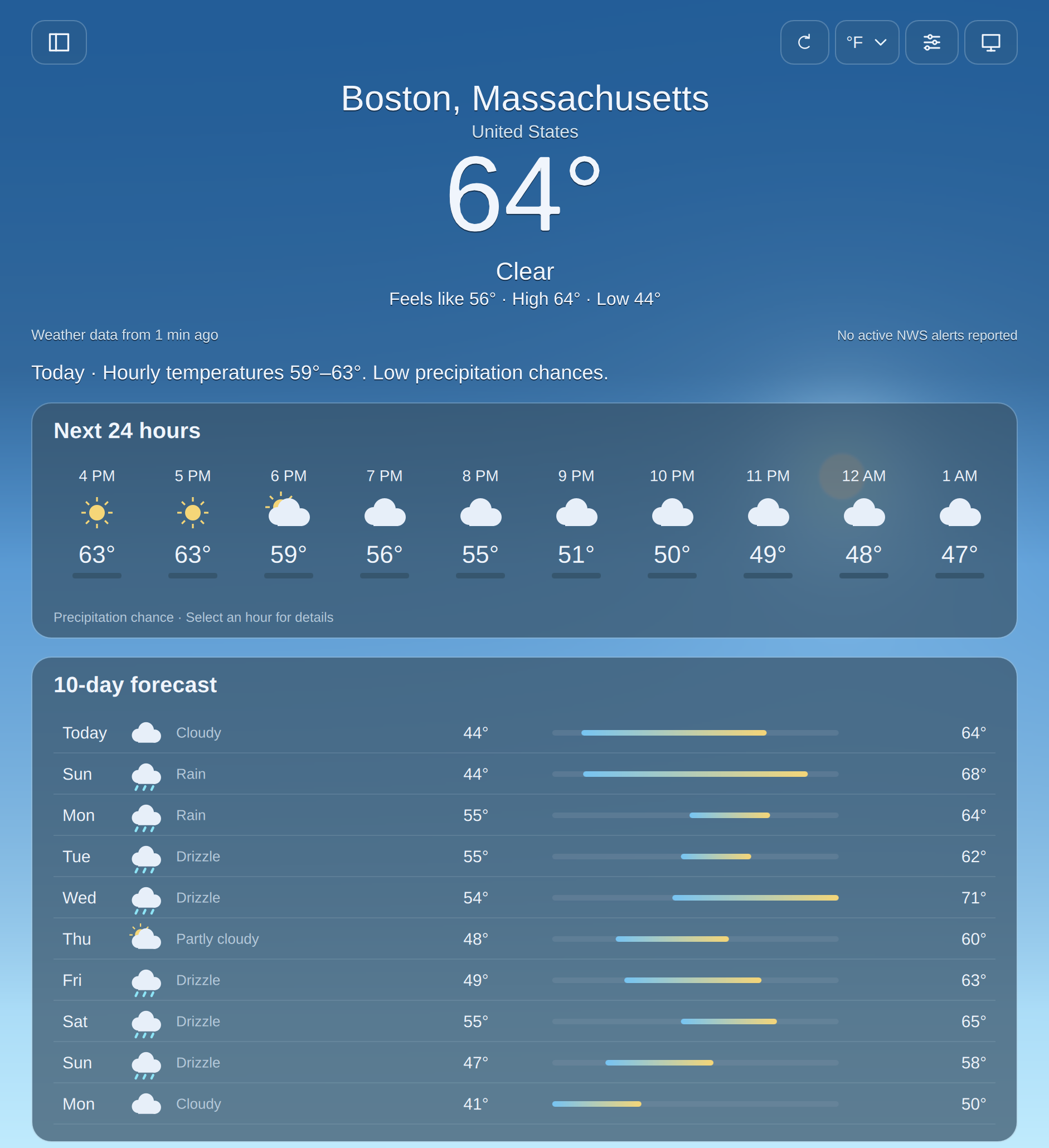
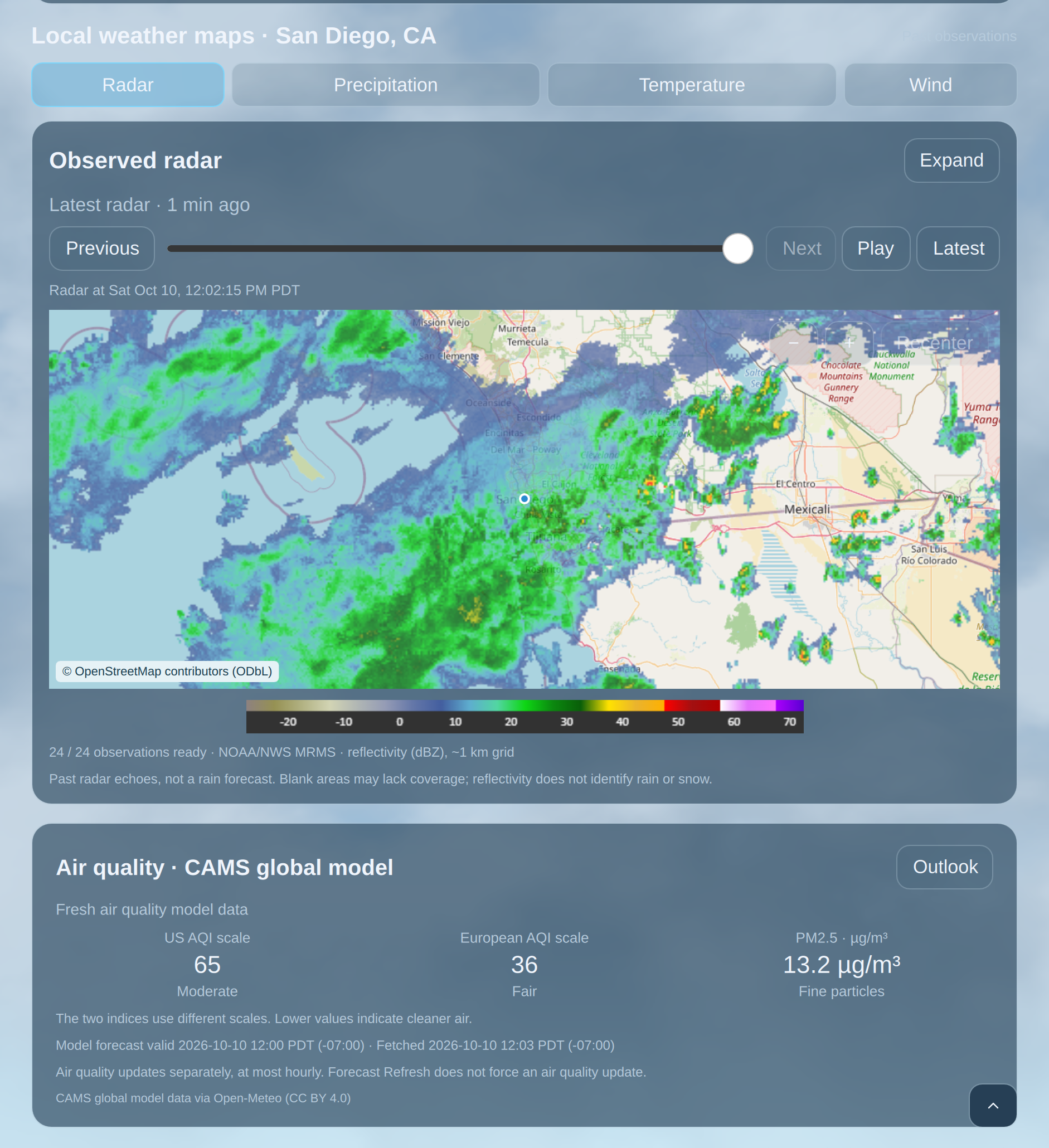
Radar: NOAA/NWS MRMS · © OpenStreetMap contributors (ODbL)
Maps and weather details
Explore observed radar alongside precipitation, temperature, and wind forecasts.
Observed radar covers the contiguous United States. Forecast maps are model-derived. These are desktop app features.
View all screenshotsDesktop effects
Optional rain, runoff and pooling, and snow across your Hyprland desktop.
Weather beyond the window
Opt-in desktop effects bring the weather onto your Linux desktop. Watch a genuine recording of the app below.
Five-second desktop rain recording, September 27, 2026, showing an earlier app interface and historical weather. Playback starts when you press play; this website does not change your desktop.
Illustrative weather showcase
A sunlit illustration of soft clouds against a wide blue sky.
Get the desktop app
Made for your Linux desktop.
Install through the Omarchy plugin manager. The browser preview is just the beginning.
Read installation instructionsOption 1 · Terminal
Install on Omarchy
Add the bar plugin, then install the compiled runtime. The setup script verifies the pinned release archive and runtime metadata.
 View in the Omarchy plugin directory
omarchy plugin add https://github.com/joega/a-weather-app.git --enable
bash "$HOME/.config/omarchy/plugins/a-weather-app.weather/scripts/install_release_runtime.sh"The packaged app targets x86_64 Omarchy. No administrator privileges or local build step are needed for this installation path.
Runtime and release verification
The installer uses curl, jq, tar, sha256sum and flock. The native window uses Omarchy’s Qt 6 and desktop libraries. Bundled effects target Hyprland 0.56.2; compatibility is checked before activation. Forecast viewing works when effects cannot load. See the README for full dependencies and standalone release verification.
Option 2 · Agent
Have your agent install it for you
Copy this prompt into the agent running on your Linux machine.